










Please contact DAT/EM directly on any questions related to the hardware and software prior to purchasing the computer to ensure system compatibility.

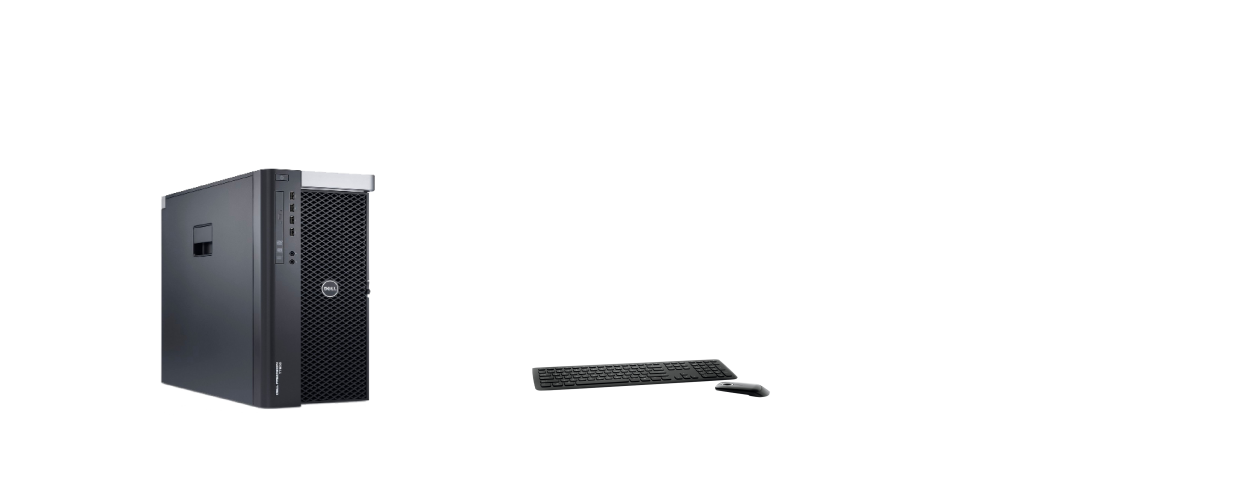
  • PC Computer:  Dell Precision T7920 Workstation or higher Dell 7000-series
  • Operating System: Windows 11 Professional and Enterprise. Home and LTSC are not compatible!
  • Processor: Six Core Intel® Xeon with 2.4GHz processors or higher
  • Memory: 64 GB or higher SDRAM or higher for use with Summit Evolution Professional Edition; 32 GB or higher SDRAM for Summit Evolution Feature Collection and Lite Editions.
  • Hard Drive: 1TB SATA Solid State drive or better
  • Ports: USB ports to support hardware connections. Add a powered USB hub if needed. If you have an old serial input device, a low-profile serial port adapter may be required.
  • Power Supply: 750W or higher, preferably 1000W or higher. Do not compromise! Low power causes trouble for DAT/EM users!
  • Software for CAD/GIS interfaces: See the current version release notes for a list of compatible AutoCAD, MicroStation, ArcGIS, and Global Mapper versions.
  • Stereo Display choices:
    1. "Beamsplitter" displays, including Vision Engineering Vectour and Contour, Schneider Digital PluraView (several models and sizes available), VRLOGIC SeeHawk3D.  Request quote from U.S. dealer - Sharper Technology or your local reseller.
    2.  Acer SpatialLabs View Pro model ASV27-2P. This glasses-free, eye-tracking display is supported in DAT/EM v.8.4 and higher.
    3. NVidia 3DVision - Discontinued by nVidia, but still working in Windows 11 Professional and Enterprise. DAT/EM has a limited supply of generic-brand 3DVision kits for sale through your DAT/EM reseller. 3DVision uses a restricted list of monitors, nVidia GPU models, and nVidia video and emitter drivers. Contact DAT/EM Support for compatible hardware lists, driver links, and setup instructions.
    4. Meta Quest VR Headset - Discuss with DAT/EM Support whether this is the right stereo display for you.
  • Compatible Graphics Card (GPU):
    1. For the PluraView: Follow Schneider Digital's recommendations for nVidia and AMD GPU models.
    2. For all other stereo displays, DAT/EM's strongest recommendation is the nVidia RTX 4000 Ada or RTX 4500 Ada (or higher, if third-party software requires it). DAT/EM has not tested nVidia Blackwell GPUs. DAT/EM does not recommend model numbers lower than "4000."
    3. Some older nVidia GPU models may still work. Contact DAT/EM Support to ask about your older GPU and display combination.
  • Additional CAD/Desktop Monitor(s):
    • At least one LCD/LED Monitor, almost any type, preferably with a Display Port connector. If you have nVidia 3DVision, preferably the same size as your stereo screen, and preferably not a G-Sync gaming monitor, especially if your 3DVision monitor is not a G-Sync monitor. The desktop monitor is not required to have 120Hz refresh.
    • More side monitors, up to the number of free Display Ports on the GPU after the 3D display system is connected. If you add another GPU to support more side monitors, it must be the same nVidia series as your stereo GPU.
Here is the basic configuration for a Laptop, for those who may have need of a mobile solution.

  • Dell Precision 7680 or 7780 Mobile Workstation (available for sale as of April 2024).
  • NVIDIA RTX 3500 Ada (minimum!), RTX 4000 Ada (recommended), RTX 5000 Ada (only if you have to have it for other applications)  laptop model video card if using nVidia 3DVision. If using any other brand of stereo display, contact DAT/EM Support.
  • Windows 11 Professional or Enterprise
  • Intel i7 (minimum) or i9 (recommended) Processor as offered by Dell.
  • If there is a choice of power supplies, choose the highest Watts output offered. This helps run the video card in stereo.
  • 64 GB or higher SDRAM or higher for use with Summit Evolution Professional Edition; 32 GB or higher SDRAM for Summit Evolution Feature Collection and Lite Editions. Do not compromise! Low RAM causes trouble for DAT/EM users!
  • 1TB SATA Solid State Drive or better
  • Note: Dell's built-in 120Hz screen option for laptops does not work for nVidia 3DVision or generic Three-D Vision; you will need an external stereo display as listed below.
  • Note: For legacy Dell 7000-series laptop models, send a Windows DxDiag report to DAT/EM Support for evaluation.
  • Another option! The Acer SpatialLabs Aspire 3D 15 laptop works to run Summit in stereo. At least one external display must be added as a side/CAD monitor. The user must add 16GB RAM for a total of 32GB RAM. This laptop is considered "lightweight" in capabilities compared to the recommended Dell brand. The cooling fan runs on high when stereo is displayed. It is not suitable for all-day work; however, for stereo sales demonstrations and for frequent travel, this may be a good option. Note that some DAT/EM v.8.5 Summit Professional tasks will require more RAM than this laptop can hold. Discuss with DAT/EM Support.

Stereo display options for laptops:

All laptop stereo options are external displays (except for the Acer SpatialLabs Aspire 3D 15). Use the laptop's built-in display for a side monitor only.

  • For Schneider PluraView, VRLogic SeeHawk3D, and Vision Engineering Contour or Vectour, follow the manufacturer's instructions for laptop setup. In general, these will require a DisplayPort and an HDMI port for the PluraView and SeeHawk3D, or two HDMI connections for the Contour. It may be possible to use a Thunderbolt hub for these, but only if the manufacturer recommends it.
  • Acer SpatialLabs View Pro model ASV27-2P (27-inch) or ASV15-1BP (15.6-inch) (the 15.6-inch is discontinued, but is laptop sized, and can sometimes be found at auction sites or still in stock at specialty electronics stores). Contact DAT/EM Support for View Pro setup instructions.
  • nVidia 3DVision and generic Three-D Vision use a restricted list of GPU models, monitors, and nVidia video drivers. Contact DAT/EM Support for Three-D Vision kits, compatible hardware lists, driver links, and setup instructions.
  • DAT/EM VR using a Meta Quest headset. Contact DAT/EM Support for setup details.
  • Summit Evolution Professional, Feature Collection, or Lite
  • LandScape
  • DAT/EM Capture for MicroStation
  • DAT/EM Capture for AutoCAD
  • DAT/EM Capture for ArcGIS
  • MapEditor automated editing software for AutoCAD and MicroStation
  • SuperImposition
  • Contour Creator
  • Stereo Viewer

The following 3D input devices are available for purchase from DAT/EM. Dedicated 3D input devices may be used by Summit Evolution Professional and Feature Collection editions and DAT/EM LandScape:

  • GGS SoftMouse 3D USB optical mouse (replacement of Immersion SoftMouse mechanical mouse)
  • Stealth V, Z, and H models.

These additional 3D input devices may be used with Summit Professional and Feature Collection editions but are not sold by DAT/EM:

  • Leica TopoMouse (USB)
  • Z/I Mouse, S3 and S4
  • ISM HandWheels
  • XBox Controller
  • 3DConnexion Space-series mouse

The following items are also available with a Summit system:

  • One or two system mouse devices for controlling Summit Evolution Lite edition. We suggest one 5-button "typical" wheeled system mouse and one trackball type. Supplied by the user.
  • DAT/EM Keypad Controller display option: User-supplied touch-sensitive or non-touch-sensitive Windows display.

PluraView, SeeHawk3D, Contour, Vectour

For the Schneider Digital PluraView, VRLogic SeeHawk3D, and Vision Engineering Contour and Vectour displays, Request quote from dealer - Sharper Technology or your local distributor.

NVIDIA 3D Vision 2 Kit

Nvidia-3D-Vision-Bundle

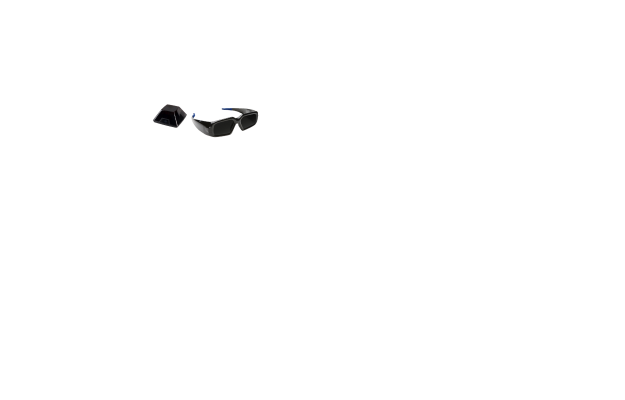
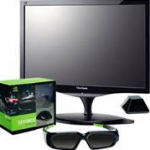
DAT/EM carries the generic-brand "Three-D Vision" kits. These contain the same technology as the legacy nVidia-brand 3DVision 2 Kits. The kits includes a USB emitter and active 3D glasses. Note that 3DVision was discontinued by nVidia in April 2019, but still works with specific Windows 10 and 11 versions and specific monitors, video cards, and nVidia driver versions. Ask your DAT/EM reseller about purchasing Three-D Vision. DAT/EM Support can advise you on compatible displays and drivers and offers detailed installation instructions for 3DVision and Three-D Vision.